

Animation used to mean long timelines, steep learning curves, and big budgets. Not anymore. Today, you can turn a simple idea into a polished animated video in minutes. No studio. No complex software. Just smart tools that do the heavy lifting for you.
If you want speed without sacrificing quality, an ai animation generator is the fastest path from idea to finished video. These tools handle scenes, motion, voiceovers, music, and subtitles, so you can focus on the message. Below are seven of the best options you can use right now, explained in plain English.
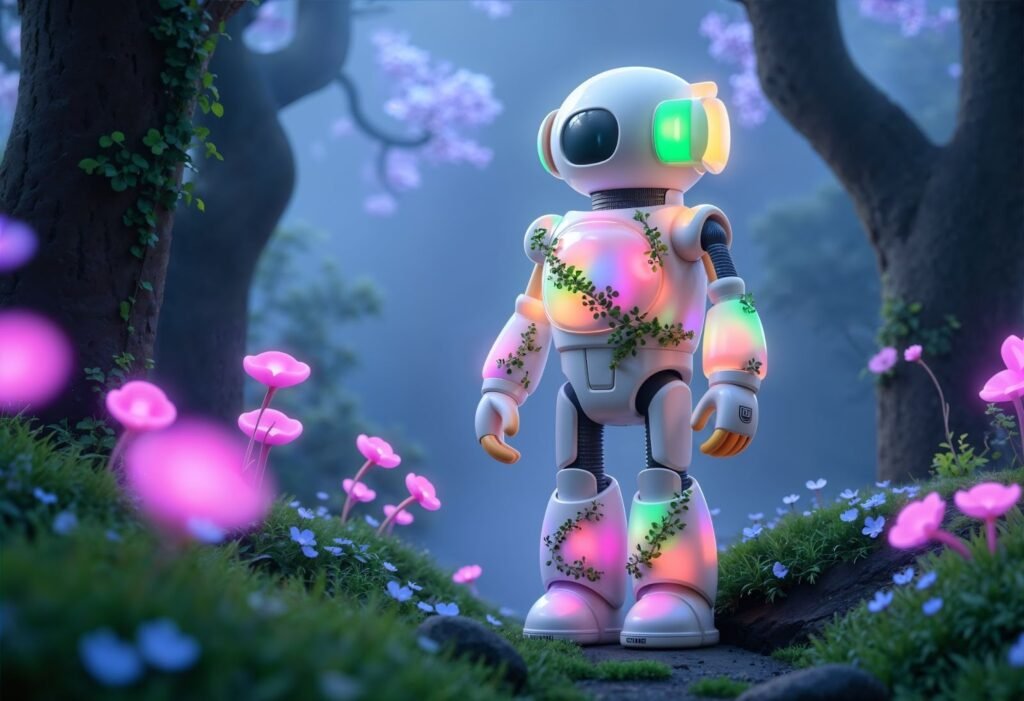
1. Invideo – Best All-Around AI Animation Generator
If you want one tool that does almost everything well, Invideo stands out. It works as both an AI Animation Generator and a full AI video creator, which means you can go from text to animated video without touching a timeline.
Why it works
Invideo turns a short prompt into a complete animation. It builds scenes, adds motion, picks visuals, creates voiceovers, and syncs music automatically. You can tweak the result, but you do not have to start from scratch.
What you can make
Explainer videos
Animated ads
Story videos
Social media animations
YouTube intros and Shorts
Who it’s best for
Creators, marketers, and small teams who want fast output and flexibility. It also comes with commercial rights, so you can use the videos for business.
2. Animaker – Best for Cartoon-Style Animation
Animaker focuses on character-based animation. If you like cartoon visuals, expressive faces, and colorful scenes, this one fits well.
Why it works
Animaker uses a drag-and-drop system combined with AI helpers. You choose characters, actions, and scenes, then let the tool animate them smoothly.
What you can make
Cartoon explainers
Training videos
Educational content
Simple brand stories
Who it’s best for
Teachers, trainers, and brands that want friendly, animated characters instead of realistic visuals.
3. Vyond – Best for Business Storytelling
Vyond is popular with companies for internal videos and training content. It focuses less on flashy effects and more on clear storytelling.
Why it works
The platform offers structured templates and consistent animation styles. You can create professional videos without worrying about design choices.
What you can make
Corporate explainers
HR training videos
Internal communications
Process walkthroughs
Who it’s best for
Businesses that need clean, professional animation that looks reliable and polished.
4. Renderforest – Best for Quick Template-Based Animations
Renderforest is great when you need something fast and simple. It relies heavily on templates but uses AI to speed up customization.
Why it works
You pick a template, add text or images, and let the platform animate everything for you. It is straightforward and beginner-friendly.
What you can make
Logo animations
Promo videos
Intro and outro clips
Short ads
Who it’s best for
Beginners or anyone who needs quick animated videos without deep customization.
5. Pictory – Best for Turning Text Into Animated Videos
Pictory shines when you already have text content. It works well for blogs, scripts, and summaries that you want to turn into animation.
Why it works
The AI scans your text, breaks it into scenes, and pairs each part with visuals, animations, and captions. It feels more like an automated storytelling tool than a manual editor.
What you can make
Animated summaries
Content repurposing videos
Social media animations
Educational clips
Who it’s best for
Content marketers and bloggers who want to turn written content into videos quickly.
6. Powtoon – Best for Presentation-Style Animations
Powtoon blends slides and animation. It feels familiar if you have used presentation tools before, but adds animated motion and characters.
Why it works
You build scenes like slides, then animate them with transitions, icons, and characters. It is structured and easy to learn.
What you can make
Animated presentations
Pitch videos
Educational explainers
Marketing overviews
Who it’s best for
Professionals who want animated videos that still feel organized and presentation-friendly.
7. Kaiber – Best for Creative and Artistic Animation
Kaiber focuses on visual style and artistic motion. It is less about templates and more about creative expression.
Why it works
You upload images or text prompts, and the AI generates animated visuals with strong motion and mood. It is experimental and visually striking.
What you can make
Music visuals
Artistic animations
Creative social content
Visual storytelling clips
Who it’s best for
Artists, musicians, and creators who want unique visuals instead of traditional explainer animations.
How to Choose the Right AI Animation Generator
Not every tool fits every goal. Here is how to decide quickly.
If you want speed and flexibility, choose Invideo.
If you want cartoon characters, go with Animaker.
If you need business-ready videos, Vyond works well.
If you want fast templates, Renderforest is enough.
If you turn text into videos often, Pictory saves time.
If you like structured presentations, Powtoon feels natural.
If you want artistic visuals, Kaiber stands out.
Your choice depends on what you create most often, not on having the most features.
Why AI Animation Generators Are So Popular Now
The rise of the AI animation generator is not hype. It solves real problems.
First, speed. What used to take days now takes minutes.
Second, cost. You do not need designers, animators, or editors.
Third, consistency. AI keeps style and pacing uniform.
Fourth, accessibility. Anyone can create animation without training.
That is why these tools are now used for ads, social content, education, and storytelling at every level.
How AI Animation Fits Modern Content Creation
Today’s creators need volume. Platforms reward consistency, not perfection. An ai video creator helps you keep up without burning out.
You can:
- Create multiple versions of the same video
- Test different hooks and messages
- Repurpose one idea into many formats
- Scale content without hiring a team
Tools like Invideo make this process realistic for solo creators and small businesses.
Tips to Get Better Results From AI Animation Tools
Even the best tools work better with clear input.
- Keep your script short and focused.
- Use simple language and clear ideas.
- Break content into small sections.
- Let visuals support the message, not replace it.
- Preview and adjust pacing before exporting.
AI handles execution. You handle clarity.
Common Mistakes to Avoid
Many people blame the tool when results fall flat. The issue is usually the input.
- Overloading the video with text
- Using long scripts meant for blogs
- Ignoring pacing and rhythm
- Trying to show too many ideas at once
- Skipping the preview step
Simple inputs lead to stronger animations.
Final Thoughts
Animation no longer belongs only to studios and experts. With the right AI animation generator, anyone can create engaging animated videos fast. Whether you want ads, explainers, or creative stories, these tools remove friction and save time.
If you want an all-in-one solution that balances speed, quality, and flexibility, Invideo is a strong starting point. It works as both an animation tool and a full ai video creator app, making it easy to turn ideas into finished videos without stress.
The best tool is the one you will actually use. Pick one, start small, and create consistently. That is how animated content starts working for you.






Leave a Reply